
Render Spritesheet
Create spritesheet from image array or animation.
Node Data | |
|---|---|
 | |
Display name | |
Render Spritesheet | |
Internal name | |
Node_Render_Sprite_Sheet | |
Inheritances | |
| Node_Render_Sprite_Sheet | |
Inputs | |
Surfaces | |
surface |
Sprites |
enum |
Sprite Set |
int |
Frame Step |
bool |
Skip Empty |
Packing | |
enum |
Packing Type |
int |
Grid Column |
enum |
Alignment |
int |
Spacing |
vec2 |
Spacing |
ipadding |
Padding |
Rendering | |
Range | |
bool |
Custom Range |
range |
Range |
Outputs | |
surface |
Surface Out |
atlas |
Atlas Data |
Attributes | |
| Color Depth | |
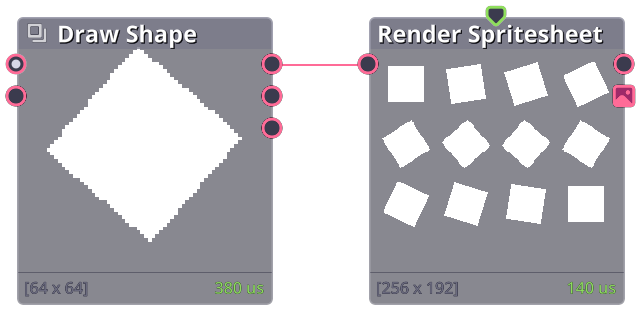
Convert image array, or animation to sprite sheet.
Properties
| Surfaces | |
| Sprites | Input image(s) or animation. |
| Sprite Set | Whether to convert image array or animation to sprite sheet. For animation type, the project need to be played from start to finish to generate the sprite sheet. |
| Frame Step | Number of frame to progress per sprite sheet frame (set to 1 will render every frame, 2 will render one image per 2 frames, etc.) |
| Skip Empty | Skip empty surface. |
| Packing | |
| Packing Type | How to pack the sprite sheet. |
| Alignment | For horizontal and vertical packing type, how to align the images in the axis (if the source image have different sizes). |
| Spacing | Spacing between each images in the sprite sheet. |
| Padding | Apply extra space around the entire sprite sheet. |
| Range | |
| Custom Range | Set custom range of images to convert to sprite sheet, whether the animation range or array index range. |
| Range | Starting/ending frames, set end to 0 to default to last frame. |